Homestones: Difference between revisions
Jump to navigation
Jump to search
No edit summary |
No edit summary |
||
| Line 15: | Line 15: | ||
{{ImageBox|image=Homestone 03 Final.png}} | {{ImageBox|image=Homestone 03 Final.png}} | ||
Interacting with the homestone reveals more detailed information on your standing with a family: | Interacting with the homestone reveals more detailed information on your standing with a family: | ||
*Family Names | *Family Names | ||
| Line 22: | Line 20: | ||
*Individual relationship standing with the player | *Individual relationship standing with the player | ||
As well as the name of the family home and your overal standing with the family as a whole. | As well as the name of the family home and your overal standing with the family as a whole. | ||
When you pass this threshold marker on the bar, you will be granted Permissions by the family, which unlocks a number of bonuses: | When you pass this threshold marker on the bar, you will be granted Permissions by the family, which unlocks a number of bonuses: | ||
*You're allowed to harvest their crops. | *You're allowed to harvest their crops. | ||
Latest revision as of 13:04, 21 August 2025


Summary
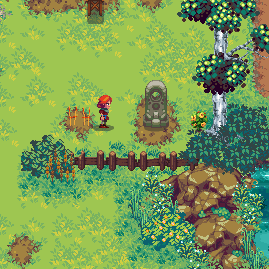
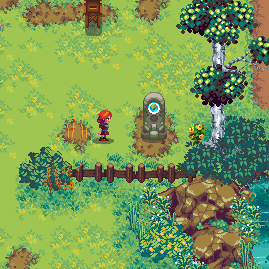
Homestones can be looked at to show the current overall friendship level of a house. Once discovered for the first time the homestone will remain lit.
Item Permission

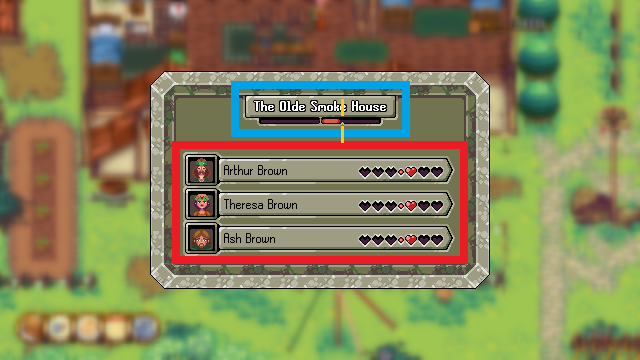
Interacting with the homestone reveals more detailed information on your standing with a family:
- Family Names
- NPC portraits
- Individual relationship standing with the player
As well as the name of the family home and your overal standing with the family as a whole.
When you pass this threshold marker on the bar, you will be granted Permissions by the family, which unlocks a number of bonuses:
- You're allowed to harvest their crops.
- Pick their fruit
- Make use of their crop squares for planting your own seeds
- Uses their stoves for cooking